> For the complete documentation index, see [llms.txt](https://help.cleverapp.pro/llms.txt). Markdown versions of documentation pages are available by appending `.md` to page URLs; this page is available as [Markdown](https://help.cleverapp.pro/sozdanie-chat-botov-bloki-scenariya/uvedomleniya/blok-otpravit-soobshenie.md).

# Блок "Отправить сообщение"

<figure><img src="/files/RDdbmoGMMCH9RZQTu02R" alt=""><figcaption></figcaption></figure>

Блок **«Отправить сообщение»** позволяет переписываться пользователям бота между собой, причем не обязательно, чтобы пользователи были из одного мессенджера. Например пользователь WhatsApp может написать пользователю Telegram и т.д.

<figure><img src="/files/mBqA35MZeVRhLxduk42B" alt=""><figcaption></figcaption></figure>

## Кнопка "Выйти" в блоке "Отправить сообщение"

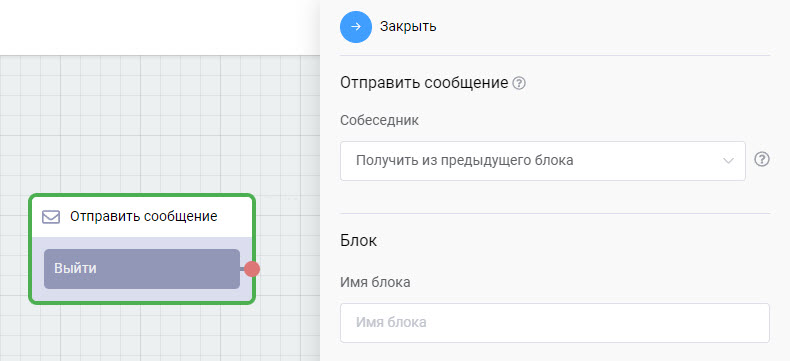
Теперь в блоке **«Отправить сообщение»** необходимо указывать связь с кнопкой **«Выйти»**, чтобы пользователь мог выйти из диалога с пользователем в любой блок, который вы укажете (ранее при выходе он всегда попадал в стартовый блок).

**Для чего может использоваться данный блок?**

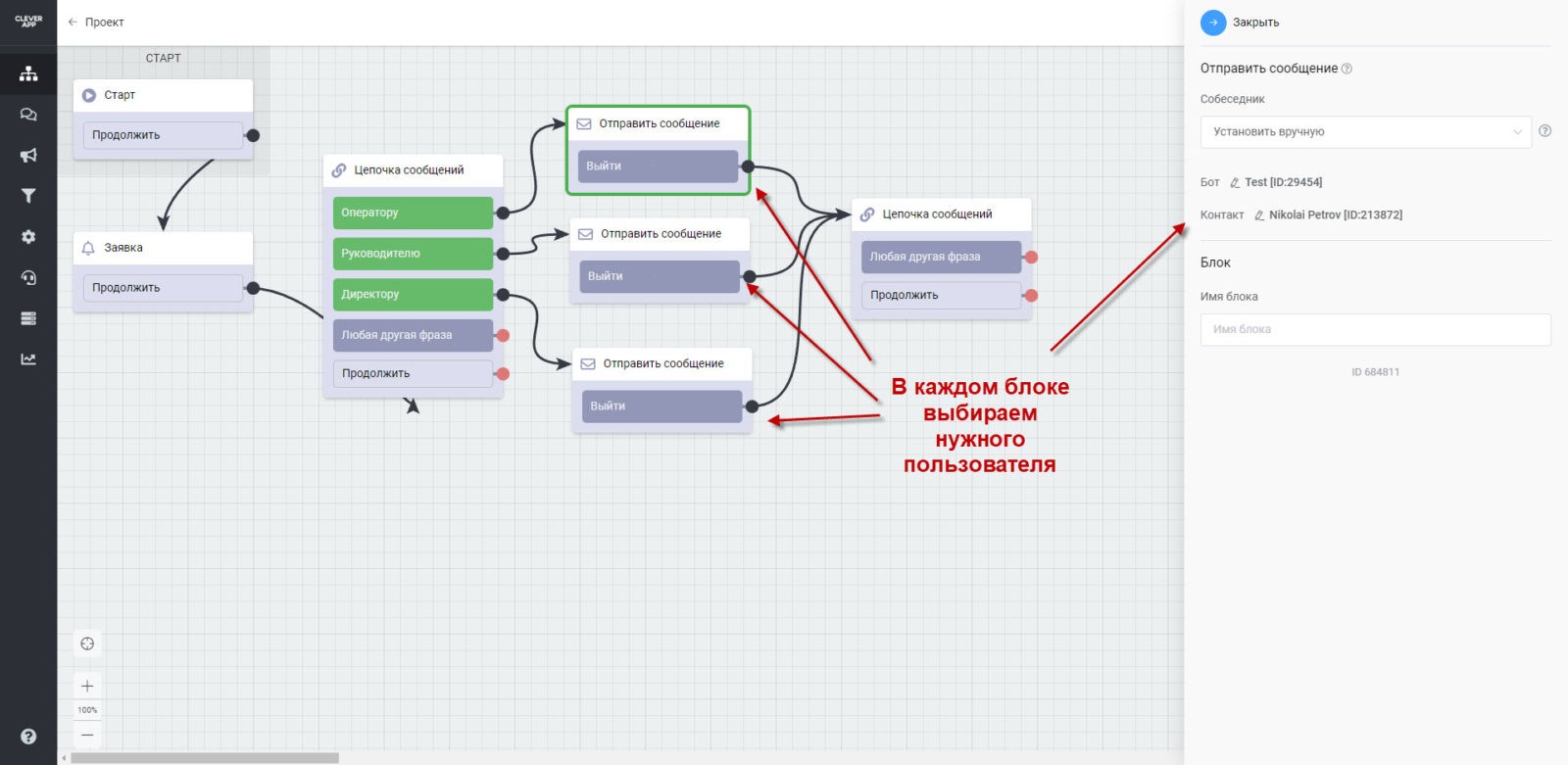
Например, Вы хотите реализовать в своем боте возможность пользователю бота пообщаться (задать вопрос) напрямую нужному ему человеку (Оператору, Руководителю, Директору).

**Как это можно реализовать?**

1. Создаем блок с кнопкой “Задать вопрос”
2. Даем возможность выбрать нужного получателя
3. В блоке “Отправить сообщение” в поле “Контакт” выбираем нужного пользователя.

И в таком случае, если пользователь бота выберет “Директора” и отправит ему сообщение, то это сообщение придет только Директору в диалоге с ботом и он сможет ответить на этот вопрос.

<figure><img src="/files/xPTkFQmqWYbIJJZTGPrm" alt=""><figcaption></figcaption></figure>


---

# Agent Instructions
This documentation is published with GitBook. GitBook is the documentation platform designed so that both humans and AI agents can read, navigate, and reason over technical content effectively. Learn more at gitbook.com.

## Querying This Documentation
If you need additional information that is not directly available in this page, you can query the documentation dynamically by asking a question.

Perform an HTTP GET request on the current page URL with the `ask` query parameter, and the optional `goal` query parameter:

```
GET https://help.cleverapp.pro/sozdanie-chat-botov-bloki-scenariya/uvedomleniya/blok-otpravit-soobshenie.md?ask=<question>&goal=<endgoal>
```

`ask` is the immediate question: it should be specific, self-contained, and written in natural language.
`goal` is optional and describes the broader end goal you are ultimately trying to accomplish on behalf of the user. GitBook uses it to tailor the answer towards what is most useful for that goal.

The response will contain a direct answer to the question and relevant excerpts and sources from the documentation.

Use this mechanism when the answer is not explicitly present in the current page, you need clarification or additional context, or you want to retrieve related documentation sections.