> For the complete documentation index, see [llms.txt](https://help.cleverapp.pro/llms.txt). Markdown versions of documentation pages are available by appending `.md` to page URLs; this page is available as [Markdown](https://help.cleverapp.pro/sozdanie-chat-botov-bloki-scenariya/prostye-bloki/blok-udalit-teg.md).
# Блок “Удалить тег”
Используя блок “Haзнaчить тeг”, мы присваиваем пользователям метки, которые можно увидеть в разделе (Списки > Контакты > Нажать на контакт). Можно удалить тег у пользователя вручную, а можно автоматически с помощью блока “Удалить тег”.
Удаление тегов у пользователя необходимо, чтобы они не имели доступа к определенным разделам в боте, если есть блок “Условие” или “Переключатель”, которые установлены на “Входе” или чтобы пользователи не получали авторассылку, если есть условие “Пользователь содержит тег” или “Пользователь не содержит тег”.
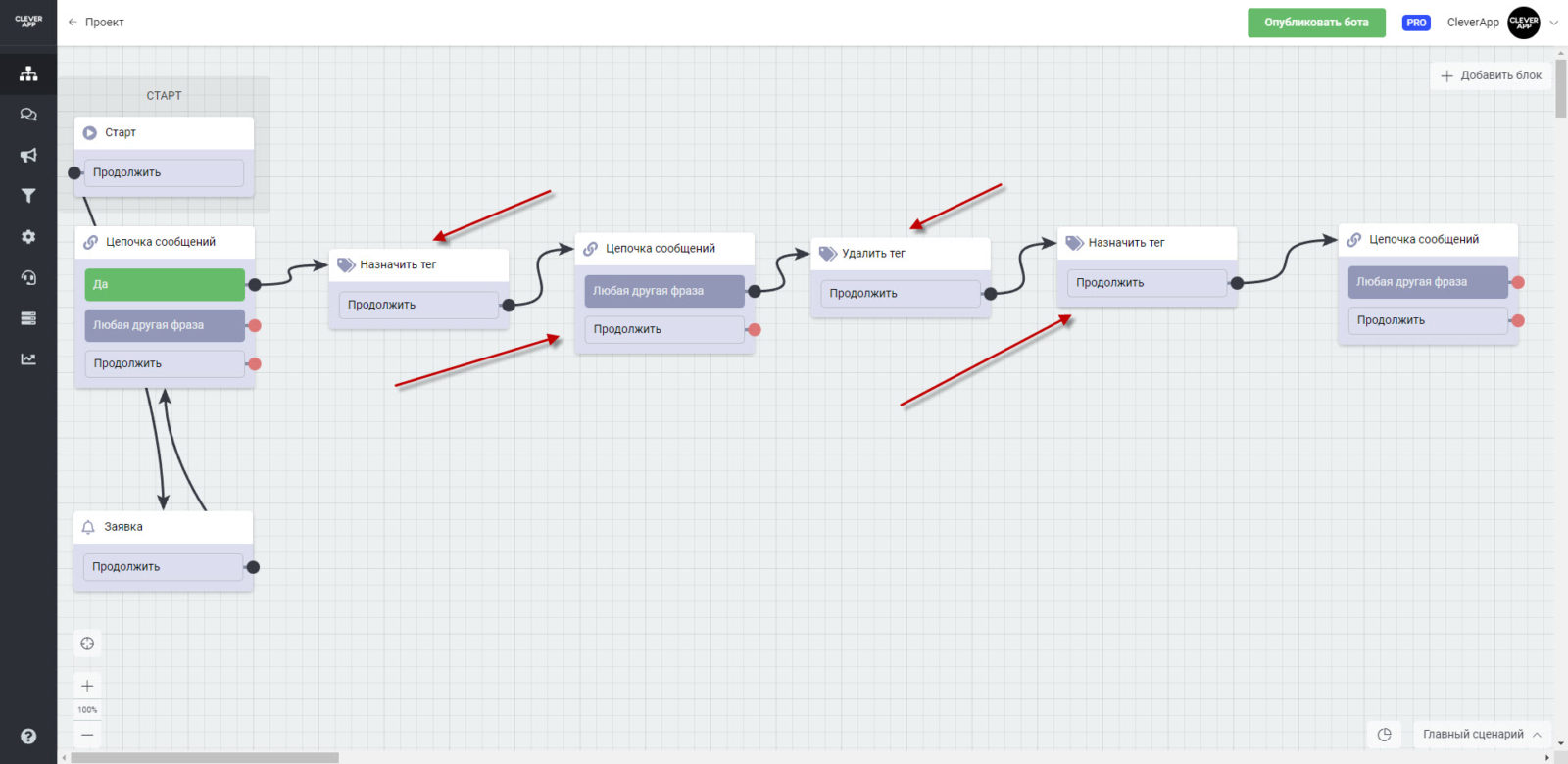
Блок “Назначить тег” может располагаться после кнопок или “Любой другой фразы”, которую может ввести пользователь. Также можно использовать блок в паре с “Назначить тег”, если кнопка или фраза меняет решение пользователя.
Например, при первом заполнении в боте пользователь нажал “10 дней” и получил тег “10”, после чего получал авторассылку на протяжении 10 дней. В последней рассылке ему пришла “Цепочка сообщений”, до которой стоял блок “Удалить тег” и он лишился тега, а на следующий месяц он нажал “20 дней”, получив метку “20”, после чего получая авторассылку на протяжении 20 дней соответственно.